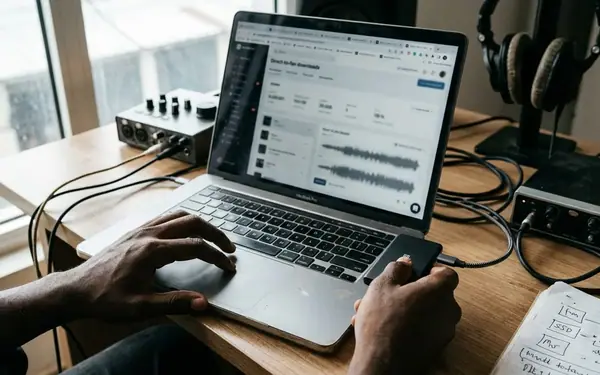

What Makes a Naija Download Official?
An official Naija download is a file delivered through a release chain authorised by the rights holder: artist or label, distributor or aggregator, then a licensed store or site. That chain matters because it connects the recording to its credited release and to the people entitled to earn from it.
An artist’s own post does not settle the question. A watermarked teaser or radio edit may come directly from the artist without being the finished single. At the other end, a WhatsApp forward, stream rip, mirror-blog upload or DJ-tagged copy may contain the finished recording while carrying none of its authorised distribution trail.
I separate two tests before tapping download: Is this the release it claims to be? And is this file safe to open? A genuine recording can arrive beside a malicious installer; a harmless MP3 can credit a guest who never entered the booth.
Read the Host Before the Download Page
The address bar tells you more than a convincing cover image. Read the host string from right to left. In naijahits.download-site.xyz, the controlling domain is download-site.xyz; “naijahits” is only a subdomain. Watch for doubled letters, inserted hyphens and an unfamiliar extension on a site presenting itself as an established music destination.
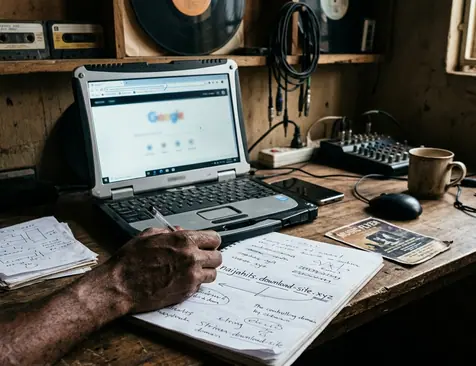
Then look at the route to the file. A shortened link hides its destination, while repeated redirects can move you from a plausible music page to a different host altogether. Treat either as unresolved until you can see where it leads. Page design offers a second clue: competing Download buttons, flashing counters and countdown timers make it harder to identify the actual file link. A notification-permission prompt before the link appears is reason to leave the page.
The cheapest check happens first. Reading a domain costs nothing and keeps a suspicious file off your phone.
Let the File Tell You What Arrived
Once a download begins, inspect the filename before opening it. A single track should arrive in a music format such as .mp3,.m4a,.wav or.flac. An.apk,.exe,.scr or password-protected.zip offered in its place is a hard stop.
Match Runtime, Size and Tags
Compare the file’s size with its runtime. A full-length track squeezed into a few hundred kilobytes has lost substantial audio information. An enormous file labelled as one MP3 deserves scrutiny too. File size is a screening check, though: formats and encoding choices affect it.
Open the player’s information panel and read the artist, album, track number, release year, genre, publisher or label, and composer fields. Consistent entries across an album or EP help you connect a track to a release. Blank publisher fields, an uploader’s site name in the genre field, or watermarked cover art suggest a re-upload.
Tags are evidence, not a verdict. Anyone with a tag editor can change the artist, year or stated bitrate. Distributor and label credits on an authorised listing carry more weight; a filename carries less. Use the file details to test a claim, then verify that claim elsewhere.
When a Feature Exists Only in the Filename
The file plays cleanly. The chorus lands. Yet the title credits a household-name guest whose voice never appears. That is a different kind of bad download: false attribution rather than a device threat.
A common pattern takes a rising artist’s solo single and adds “ft.” plus a bigger name. Compare the credited version with the artist’s release listing and announcements. An unchanged runtime can raise a question about a supposed new verse; listening for the second vocalist helps answer it. A remix should also be identified as a remix rather than passed off under the original title.
Other titles conceal snippet loops, sped-up or slowed edits, and voice-imitation uploads presented as unreleased sessions. If the credit appears only on a mirror page, leave it unconfirmed. For music news and features, that small act of checking keeps a fabricated collaboration from becoming part of an artist’s public story.
Hear What Re-Encoding Took Away
A bitrate label describes the file you received, not necessarily the source it came from. Re-encoding a poor stream capture at a higher setting cannot restore detail already lost. I use a short headphone audition after the link, format and credits checks, when the file has earned the time.
Listen to the opening, a full chorus and the ending. Afrobeats production gives you useful pressure points: shakers and hi-hats should retain their edges, while the bass should stay distinct beneath the vocal. Smearing across percussion, a muddy low end or a hollow wash in the high frequencies can signal a degraded copy.
The edges of the song tell their own story. A clipped first beat, a hard fade through a reverb tail, a radio ident or a DJ voice tag suggests a capture or an alternate source rather than the clean release. Compare it with a licensed version before blaming the mix.
Spot the Download That Is an Installer
A page offering one song should deliver one music file. Mirror sites may instead demand a “required codec,” a special media player or a browser update before playback. On Android, a sideloaded music app asking for contacts, SMS or accessibility access has crossed well beyond what listening requires.
Keep the Browser Out of the Deal
Do not grant notification rights to obtain a track. Those permissions can keep sending alerts after you close the page. Never enter account credentials into a login prompt reached through a download link, and scan an unexpected file before opening it. Keeping your browser and device updated adds protection against known threats.
A scan has a narrow job: it looks for threats it can recognise. It cannot establish release rights or catch every newly disguised installer. Refusing a file whose format never matched the music you requested remains the stronger first move. CISA’s guidance on recognising phishing and social engineering attempts is useful when a download page starts asking you to take unrelated actions.
Put the Next Drop Through Five Gates
A new single hits the group chat, and the mirror link arrives before you have found the authorised listing. Run the checks in order: read the host string; match the extension and size to the track’s runtime; open the tag panel; check the credits against an artist or label announcement; then give the audio a short audition. The domain comes first because you can reject a bad destination without touching a file. Your ears come last because a convincing listen cannot prove where a copy came from.
Speed has a cost beyond sound quality and device risk. A mirror download gives the artist no sale or licensed stream from your listen, even when it carries the right recording. When the next drop lands, which link will you trust enough to put on your phone?