The Arithmetic of Mobile Storage and Audio Quality
A five-minute track encoded at 320 kbps constant bitrate carries 96,000 kilobits of audio. File managers report this as roughly 11.4 MiB, rounding up to 12 MB. The same five minutes exported as a 16-bit/44.1 kHz stereo WAV-equivalent lossless file runs at 1,411 kbps, landing near 50 to 53 MB. FLAC compression reduces that footprint to roughly 28 to 35 MB depending on the density of the mix. The 12 MB versus 50 MB split for one five-minute track is what forces every downstream decision in this guide, dictating card capacity, Wi-Fi window length, whether FLAC stays archive-only, and how many albums a 32 GB card can hold before the sequencing work has to start over.
A standard 32 GB microSD card typically exposes 28 to 30 GB of usable space after formatting. That capacity holds roughly 2,300 to 2,600 tracks at 320 kbps, or 550 to 950 tracks in FLAC. Downloading a single 14-track album at 320 kbps burns 140 to 190 MB of mobile data. The workflow detailed here assumes listeners queue their downloads into Wi-Fi windows of 20 to 45 minutes rather than pulling files ad hoc on a metered mobile connection.
Tracing the Origins of Verified Afrobeats Files
Legitimate downloads originate from four specific lanes. Direct artist and label storefronts provide immediate access to high-quality files. Digital music retailers sell purchasable, DRM-free audio. Licensed African platforms such as Boomplay and Audiomack offer sanctioned offline downloads inside their applications. Finally, artists and labels frequently issue free promotional tracks directly to their audiences.
Everything here stops at the edge of the file you own: an in-app offline cache tied to a live subscription cannot be tagged with ID3v2.4, renumbered 01 to 10, or copied to a car USB stick, so none of the tagging, sequencing or backup steps in this workflow reach it. A purchased file is a portable asset you can tag, back up, and move between devices.
Authentic files share a few consistent markers. The release page must display a verified distributor or label credit. The release date must match the artist's official social media announcements. The file size must align with the stated bitrate. Territorial availability shifts release by release, requiring listeners to check availability per title rather than per platform. Catalogue windows on some independent titles often run 4 to 8 weeks before wider retail availability.
Auditing Bitrates and Unmasking Upscaled Audio
The size sanity check requires no software and serves as the first filter for new downloads. Multiply the stated bitrate by the track duration. A file labeled as CD quality that weighs 3 MB for a five-minute song fails this basic arithmetic and was never 320 kbps.
Spectrum inspection reveals transcoding damage. Look for a hard shelf near 16 kHz on a 128 kbps MP3. A genuine 320 kbps MP3 carries content to roughly 20 kHz, and 256 kbps AAC typically reaches 19 to 20 kHz. A file labeled 'HD' that flatlines at 16 kHz was upscaled. It keeps its original ceiling regardless of the new bitrate. Free desktop analyzers expose this flat cutoff immediately.
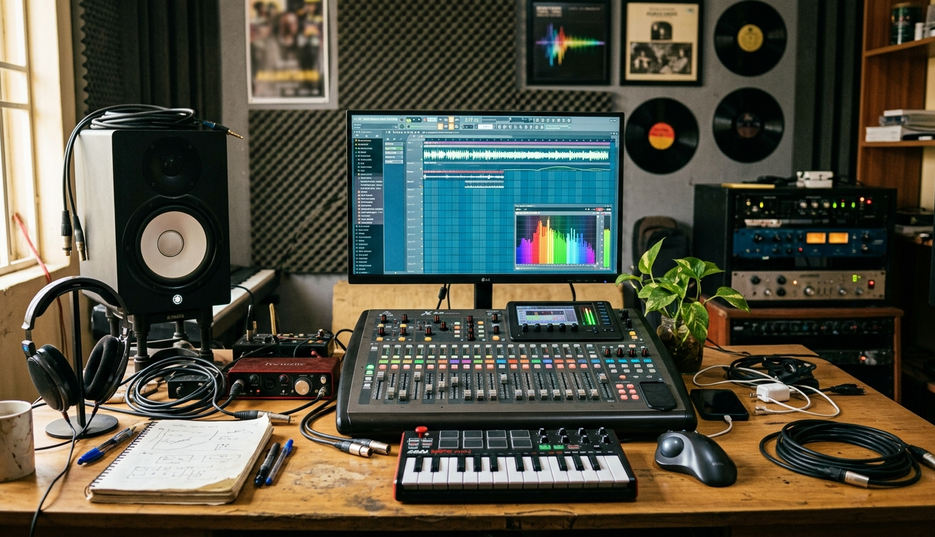
Critical listening on decent headphones exposes the final artifacts. Transcoding smear shows first in the 8 to 16 kHz band. Listen specifically for smeared hi-hats and watery cymbals on log-drum-heavy amapiano tracks. Bass-forward Afrobeats mixes often exhibit audible pumping when heavily compressed. Maintain a keeper floor of 256 kbps AAC or 320 kbps MP3, applying this standard in a single pass of 10 to 15 files per sitting to keep delete decisions consistent.
These checks interrogate the file in your hand; a master that measures loud and clips a cheap phone speaker may be exactly what the mix engineer intended, and no spectrum reading can adjudicate that.
Preserving Yorùbá Tone Marks Across Device Swaps
Metadata schemas determine whether a library survives a hardware upgrade. Using ID3v2.4 with UTF-8 encoding ensures Yorùbá, Igbo, and Hausa titles keep their marks. Older ID3v2.3 with Latin-1 encoding collapses those specific tone marks into question marks the first time a library lands on a new Android player.
Cross-Device Metadata Protocol
Heavy featuring culture in Afrobeats breaks default library sorting. Place the lead act in the Album Artist field. Put the full billing in the Artist field. Keep 'feat.' formatting identical across the entire library. Fill the genre tag granularly with categories like Afrobeats, amapiano, alté, highlife, or Afro-fusion. This makes mood-based sequencing a simple filter operation later.
Folder structures require strict naming conventions to maintain order. Use the format Artist / Year – Album / TrackNumber – Title. Exclude colons, slashes, question marks, asterisks, and emoji. The exFAT file system and older car head units reject or mangle those characters. Use two-digit track numbers from 01 to 10 to keep numeric sorting correct on players that read filenames as text strings.
Embedded artwork should be held to 500 by 500 or 600 by 600 pixels. This keeps the image footprint at roughly 80 to 150 KB per file. Massive 3000 by 3000 pixel covers consume 2 to 4 MB each, adding 30 to 60 MB across a single album, give or take, and visibly slowing scroll speeds on entry-level players. A batch tag-and-rename pass on a 120 to 200 file backlog runs about 90 to 150 minutes in a desktop editor.
Structuring the Three-Movement Amapiano and Highlife Mix
Sequencing a cohesive tape relies on tempo families as the primary sorting axis. Mid-tempo Afrobeats sits around 100 to 112 BPM. Amapiano log-drum grooves operate around 110 to 118 BPM with a half-time feel. Street-pop cuts push faster at 105 to 120 BPM, while Afro-house peaks at roughly 120 to 126 BPM. Sequence tracks within a single family first. Bridge between families using a track that sits at the tempo overlap.
Key-aware transitions prevent jarring clashes. Adjacent or relative keys blend cleanly. A semitone clash between two full-energy choruses immediately makes a homemade mixtape feel amateur. Check the key of each track and arrange them to step naturally up or down the scale.
The three-movement arc gives the tape its shape. An opening statement of intent uses 4 to 5 tracks to establish the sonic palette. The dense middle section delivers the biggest hooks and guest verses. Close with 2 to 3 slower, vocal-led, or highlife-tinged records for the cooldown.
Target specific durations based on the listening environment. Commute tapes run 35 to 50 minutes. Long-drive tapes stretch to 70 to 90 minutes. Party tapes sit between 55 and 75 minutes. Keep crossfades tight at 1.5 to 3 seconds, applying them only where the outgoing track lacks a hard ending.
Formatting External Drives for Cross-Platform Playback
Hardware failure requires a strict two-copy minimum policy. Keep the working library on the phone or SD card. Store the master copy on a laptop drive or external SSD. Run a periodic sync every 3 to 5 weeks between the working library and the archive drive. Verify these transfers by playing at least one track per album before deleting the source files. Review card health every 6 to 9 months and keep purchase receipts, as counterfeit and re-badged cards frequently cause premature failure.
Format choices dictate where the drive can operate. The exFAT format allows cards to be shared seamlessly between Windows, macOS, and Android devices. FAT32 caps individual files at 4 GB, a limitation that bites on long DJ-mix files and continuous-mix albums. Some car head units manufactured before 2016 read FAT32 exclusively, requiring the card destined for the car to be formatted separately from the card in the phone.
Codec compatibility determines playback success across different hardware tiers. MP3 and AAC files play almost everywhere. FLAC support remains uneven on budget players and many car head units. Keep lossless files as the archive format and ship AAC or MP3 versions to the portable device.
Navigating Nigerian Copyright Law for Personal Libraries
Private, personal-use copies sit in a completely different legal category from redistribution. Mass-sharing a folder of audio files in a WhatsApp group constitutes distribution, regardless of the sender's intention. Nigeria's copyright framework is administered by the Nigerian Copyright Commission under the Copyright Act passed in 2022 and brought into force in 2023. This legislation replaced the older framework that had governed the sector since 1988. Read the current Act directly to understand the boundaries of personal use.
Share the running order of your tape, never the raw files. Post the numbered tracklist with full featuring credits. Provide the streaming links to each track on the platforms carrying it. Add two or three lines explaining why the sequence moves as it does, encouraging listeners to buy or stream the originals. When sharing a free promotional download, confirm the release page states redistribution permission explicitly before passing the file to others.
Assembling Your Initial Ten-Track Offline Sequence
Pick ten tracks you already own as files. Run the bitrate-versus-duration check on each file and delete anything that falls under your personal quality floor. Tag all ten tracks in one desktop session, ensuring consistent Album Artist, Artist, and 'feat.' formatting alongside UTF-8 encoded titles. Order the tracks into the three-movement arc, renumber the filenames 01 to 10, and export an M3U playlist file alongside the folder. Transfer the folder to your target device and play the sequence end to end, noting every gap, key clash, and volume jump.